
Black Friday Website Checklist: What to Fix Before the Sale Starts
Prepare your online store for Black Friday 2026 with practical checks for discounts, mobile checkout, speed, stock, shipping, tracking, and launch day.

Before Black Friday, make sure a customer can understand your offer, choose an available product, pay the correct amount, and receive a clear order confirmation. A sale banner is only the beginning. A shopper might see 25% off in an ad, find a different price in the cart, and discover an unexpected shipping charge at checkout. This guide gives online store owners and small teams a practical way to catch those problems before sending more traffic to the website. Start with the offer, test the complete buying journey, and prepare the people and systems that handle the order afterward.
When Is Black Friday 2026, and When Should You Start?
Black Friday falls on Friday, November 27, 2026. Cyber Monday follows on Monday, November 30. BFCM is shorthand for Black Friday and Cyber Monday, often used to describe the four-day shopping weekend. Individual stores may run their promotions earlier or longer, so those event dates do not automatically define your own sale schedule.
Publish the exact start and end dates, times, and time zone wherever the offer needs them. If your team and customers are in different countries, record the customer-facing schedule and the equivalent time in the store's settings. Confirm how your platform handles scheduling. A countdown, email campaign, discount, and product feed should all refer to the same promotion window.
Use the weeks before the event to work through the following sequence. This is a suggested preparation plan, not a requirement to launch a large campaign.
- Four to five weeks before: decide the offer, select eligible products, check available stock, and list the website problems that could prevent a purchase.
- Two to three weeks before: implement the offer, prepare product and shipping information, and test the complete order journey on desktop and mobile.
- One week before: verify payment methods, promotional links, order emails, tracking, fulfillment capacity, and the process for reversing a faulty change.
- The final 48 to 72 hours: repeat the most important purchase tests, confirm scheduled changes, and assign someone to watch orders and respond to problems.
- After the promotion: restore the intended prices and messaging, check expired links and codes, and review fulfilled orders, refunds, costs, and customer questions.
Define an Offer Your Store Can Actually Deliver
Write the offer in plain language before changing a banner or installing another promotion tool. Everyone preparing the website, email, ads, and customer replies should work from the same short brief. If your team cannot explain the conditions consistently, customers will have to guess.
Calculate the price independently. A $50 item with 25% off should cost $37.50 before shipping and tax, a saving of $12.50. Two of those items should have a merchandise total of $75 when the same discount applies to both. For a bundle, compare its price with the actual total price of its included items and quantities. Keep the currency and rounding consistent.
Also check whether the offer leaves enough room for product costs, payment fees, packing, shipping support, returns, and advertising. A larger order is useful only when the business can deliver it on workable terms. A focused offer on well-stocked products can be easier for a small team to explain and support than several overlapping deals.
- Eligibility: identify included products and variants, exclusions, customer restrictions, and any minimum or maximum quantities.
- Mechanism: specify whether the discount is automatic, requires a code, or uses a bundle price. State what the shopper actually needs to do.
- Combinations: decide whether the offer works with other codes, loyalty rewards, bundles, or shipping discounts, then test the permitted combinations.
- Thresholds: define whether free shipping or a gift uses the subtotal before or after discounts, and whether taxes or shipping count.
- Limits: document the start and end time, purchase limits, gift availability, and what happens when an eligible item sells out.
- Reference prices: use accurate regular prices and savings. Keep every advertised condition consistent with the checkout result.
Check Prices, Discounts, and Bundles Across Every Step
Follow the same product from its ad or email through the landing page, collection, product page, cart, checkout, and confirmation. Check the selected variant rather than assuming every size, color, or configuration has the same price. The customer should understand which offer applies and how the final amount is calculated.
Change the underlying promotion or product configuration that determines the payable price. A crossed-out number added only to the page design cannot establish a checkout discount. For stores using Google Merchant Center, Google's sale-price guidance also requires the submitted sale price to match the landing page and checkout. Check connected product feeds after the changes have been processed.
Use a short set of test orders with expected results written down first. Record the products, quantities, customer state, shipping destination, code, and expected totals. Save a screenshot or order reference for each result so someone else can reproduce a failure.
- One eligible item: the correct variant receives the advertised discount, and the savings calculation is accurate.
- A mixed cart: eligible and excluded products receive exactly the treatment stated in the offer.
- Quantity changes: increasing, decreasing, and removing products recalculates discounts and totals without requiring a page refresh.
- Shipping or gift thresholds: test just below, exactly at, and above the stated qualifying amount using the correct subtotal basis.
- Loss of eligibility: removing a qualifying item updates the shipping benefit or gift according to the offer rules.
- A second discount: an allowed combination produces the intended result, while a disallowed one gives a clear explanation.
- A bundle: the correct component quantities reach the order, and the inventory system reduces the actual items being sold.
- An existing cart: reopen a cart created before the sale and verify current totals. Check the intended behavior after the promotion expires as well.
Complete a Real Mobile Checkout
Test on an actual phone as well as a desktop browser. Start from the link a customer will receive in an email, ad, or social post. A homepage check will not reveal a broken campaign URL, a missing variant, or a pop-up that covers the purchase button after someone arrives directly on a product page.
Complete the journey as a new shopper, then repeat it for any returning-customer or account-specific offer you plan to use. Use your payment provider's supported test environment for failure scenarios. When appropriate, arrange a small authorized live order to check the production payment and fulfillment path, allowing for any nonrefundable processing fees.
Confirm more than the success screen. The order should exist in the store, have the expected payment status and line items, reach the right fulfillment process, and send the correct confirmation. For bank transfers, cash on delivery, or other delayed methods, the message must describe the actual payment state.
Accessibility belongs in this check. W3C's forms guidance recommends asking only for necessary information, labeling controls, giving instructions, and helping users understand errors and successful completion. Try the flow using a keyboard, and check that form labels and error messages remain understandable at increased text size.
- Choose a variant, change quantity, open the cart, and continue to checkout without an overlay or sticky element blocking the next action.
- Check the address form while the phone keyboard is open. Errors should identify the field and explain how to correct it.
- Try the payment methods your customers are likely to use. Test redirects and the return to your store where those methods require them.
- Check a declined or interrupted payment in the supported test environment. The shopper needs a clear recovery path without creating duplicate purchases.
- Offer guest checkout where your business and platform permit it. Explain any genuine account requirement before it becomes a surprise.
- Open the confirmation email on a phone and verify the order summary, delivery information, payment instructions, and support contact.
Make Product Pages Fast and Easy to Use
A sale page should answer the questions that stand between interest and a purchase: what the product is, which option to choose, what the offer includes, what it costs, and when it can arrive. Keep essential details close to the buying decision. Send campaign visitors to the relevant product or collection rather than making them search for the advertised deal.
Review the pages people will actually visit: the campaign landing page, a popular product, a collection, and the cart. Use PageSpeed Insights to investigate loading problems and check available real-user data. A test on a fast office connection can miss the experience of a customer on an older phone or slower mobile network.
Google's Core Web Vitals guidance sets good-experience targets of 2.5 seconds or less for Largest Contentful Paint, 200 milliseconds or less for Interaction to Next Paint, and 0.1 or less for Cumulative Layout Shift, assessed at the 75th percentile of visits. In everyday terms, the main content should appear promptly, controls should respond, and the layout should stay steady. Field data reflects real visits over time; a fresh improvement will not instantly replace the historical report.
Prioritize visible problems with a direct effect on shopping. A purchase button that responds slowly or moves under a shopper's finger deserves attention before another decorative sale animation. A high performance score alone does not prove that the checkout works.
- Resize and compress large campaign and product images, then inspect the result so important product details remain clear.
- Give images and promotional blocks stable dimensions so content does not jump as the page loads.
- Review third-party scripts, unused widgets, and overlapping pop-ups. Remove or defer nonessential work after checking what depends on it.
- Use readable text, descriptive buttons, clear variant labels, and sufficient contrast for prices and offer conditions.
- Test search, filters, sold-out states, product links, and cart controls. Make the next available option clear when the advertised product is unavailable.
Prepare Inventory, Shipping, and Support
Match the campaign to stock you can actually fulfill. Review availability by variant and selling location, not only the total quantity shown for a product. If several bundles or sales channels share the same items, verify how they draw from that inventory. A successful checkout is still a problem if the order cannot be packed.
Explain shipping charges and delivery expectations before checkout whenever possible. Separate handling time from carrier transit time, and make regional exclusions or minimum spends easy to find. Describe returns and exchanges clearly, including any real conditions that apply to the promotion. Do not promise a delivery date your fulfillment process cannot support.
Prepare the support path before order volume increases. Someone should know how to investigate a failed payment, missing discount, address correction, damaged parcel, or cancellation. Give customers a working contact method and a realistic response expectation. A contact form that silently fails is not a useful fallback.
Treat the fulfillment test as part of the website test. Check the order details in the system used by the person packing it, verify stock movements, and confirm that shipping or tracking updates reach the customer. If a bundle contains several items, make sure the packing instructions show them clearly.
- Stock: confirm available quantities, bundle components, purchase limits, and the behavior of sold-out or backordered variants.
- Shipping: test a nearby address, another supported region, and an excluded destination. Check rates and free-shipping rules for each relevant case.
- Packing: confirm supplies, item lists, gift handling, pickup schedules, and a realistic daily order capacity.
- Notifications: check order, payment, shipping, cancellation, and refund messages relevant to the methods you offer.
- Support: prepare short answers for the sale conditions, delivery window, payment status, and returns process, with a clear owner for unusual cases.

Verify Tracking and Agree on a Launch Plan
Decide which questions the campaign report needs to answer. At a minimum, you should be able to see whether shoppers reach products, add items, start checkout, and complete purchases. Google Analytics 4 supports ecommerce events for these actions, but their presence depends on a working implementation. Installing a tag does not automatically prove that purchase reporting is correct.
Run a test purchase and inspect the received events using an appropriate debugging tool. Check the transaction identifier, currency, value, and purchased items. Google's ecommerce validation guide recommends DebugView for inspecting event data. Refresh or revisit the confirmation page and check for unintended duplicate purchase reporting.
Use the store's order and payment records to confirm actual transactions. Analytics and advertising reports can differ because of consent choices, blocking, attribution, processing delays, and reporting definitions. Investigate differences rather than assuming every dashboard must show identical revenue. Respect the consent settings applicable to your visitors when testing.
Before launch, record who can change a promotion, inspect a payment problem, pause an ad, or restore a previous configuration. Schedule the end of the sale with the same care as the beginning. The team should know which settings and messages need to return to normal.
- Campaign links: open the actual email and ad destinations, preserve campaign parameters, and confirm the correct offer appears.
- Measurement: inspect the product, cart, checkout, and purchase events that your implementation is meant to send.
- Order values: confirm the transaction ID and currency, and check that tax, shipping, discounts, and item totals follow your reporting definitions.
- Monitoring: watch payment failures, checkout errors, stock, unfulfilled orders, and support messages alongside traffic and sales.
- Recovery: keep a usable backup or previous configuration, with the steps and access needed to reverse a faulty release.
- Sale ending: confirm the discount expires, banners and timers change, campaign links still lead somewhere useful, and product feeds receive the intended prices.
Run This One-Hour Pre-Launch Audit
Once the preparation work is complete, use this final pass to catch regressions. One hour is a useful time box for a focused store, not enough time to certify every product, market, payment method, or integration. Repeat the checks for materially different buying paths and give complex offers more time.
Write down the result, the expected behavior, and the person responsible for any fix. A wrong payable price, blocked checkout, or broken order handoff should be resolved before increasing traffic. Less urgent improvements can go into a separate list with clear priorities.
- Minutes 0 to 10: open every campaign destination, read the offer as a new shopper, and verify dates, eligibility, regular prices, and sale calculations.
- Minutes 10 to 25: complete a mobile purchase using the supported testing process, then confirm the order, payment status, email, and fulfillment handoff.
- Minutes 25 to 35: test mixed carts, quantity changes, a qualifying threshold, and the permitted discount combinations.
- Minutes 35 to 45: review shipping information, returns, variant availability, bundle components, and the customer support contact.
- Minutes 45 to 55: inspect the key analytics events, campaign parameters, transaction details, and duplicate-reporting behavior.
- Minutes 55 to 60: confirm the launch owner, scheduled start and end, monitoring plan, and steps for restoring a working configuration.
A prepared store makes the advertised offer understandable, charges the expected amount, and carries the order through to fulfillment.
Verified references
Sources & Methodology
Dates and technical guidance were checked on October 21, 2026 against the references below. The offer brief, test scenarios, preparation schedule, and one-hour audit are Conduit Code Labs editorial recommendations. Price examples are illustrative. Adapt the checks to your platform, markets, payment methods, and fulfillment process.
- Black Friday 2026 in the United Statestimeanddate.com: Calendar reference for the November 27, 2026 event date.
- Cyber Monday 2026 in the United Statestimeanddate.com: Calendar reference for the November 30, 2026 event date.
- Sale priceGoogle Merchant Center Help: Requirements for keeping submitted sale prices consistent with landing pages and checkout.
- Forms TutorialW3C Web Accessibility Initiative: Guidance on form labels, necessary information, instructions, errors, and completion feedback.
- Web Vitalsweb.dev / Chrome: Official Core Web Vitals metrics, recommended thresholds, and the 75th-percentile assessment.
- Measure ecommerceGoogle Analytics: Official guidance on shopping events, item data, purchase reporting, and currency.
- Validate your ecommerce setupGoogle Analytics: Official DebugView guidance for validating collected ecommerce events and parameters.
Clear answers before you plan
Frequently Asked Questions
When is Black Friday in 2026?
Black Friday is Friday, November 27, 2026. Cyber Monday is Monday, November 30. Your store can choose a different promotional window, but its advertised dates, time zone, and scheduled discounts should agree.
How early should a small business prepare for Black Friday?
Four to five weeks is a useful planning window for choosing an offer, checking inventory, fixing purchase problems, and testing the campaign. A store with several markets, complex bundles, or custom integrations may need longer. Start with the issues that could prevent or misprice an order.
What should I check first if I have very little time?
Verify the payable price, complete a mobile checkout, confirm stock and shipping charges, and check that the order and confirmation arrive correctly. These checks establish whether a customer can buy what you are advertising and whether your business can fulfill it.
Do I need the biggest discount to run a useful Black Friday sale?
No single discount level suits every business. Choose an offer that customers can understand and that your stock, fulfillment process, and costs can support. Consider the complete cost of the promotion, including fees, shipping support, advertising, and returns.
Should I redesign my website before Black Friday?
A redesign is worthwhile when it solves a clear problem and leaves enough time to test. Close to launch, focused fixes to prices, checkout, product information, and performance are usually easier to verify. Give any substantial redesign its own preparation and recovery plan.
How can I test checkout without creating unwanted orders?
Use the supported test environment or test mode provided by your platform and payment provider. Keep failure tests away from live payments. If a production order is needed to verify the full path, arrange it deliberately and account for inventory changes, fulfillment notifications, and any nonrefundable fees.
Why do my analytics and store sales totals differ?
Reports may use different attribution windows and definitions, and analytics can be affected by consent, blocked tags, time zones, and processing delays. Use order and payment records to confirm transactions, then investigate missing or duplicate events, currency, and the treatment of tax, shipping, refunds, and discounts.
What should happen when the Black Friday sale ends?
Verify that discounts expire as intended, restore the right prices, update banners and emails, and check connected product feeds. Keep a useful destination for campaign links. Then review fulfilled orders, remaining stock, refunds, support questions, and campaign costs before deciding what to repeat.
A practical next step
Need help checking your store before the sale?
Conduit Code Labs can review the buying journey, investigate pricing and checkout issues, and prioritize improvements to performance, accessibility, and integrations.

About the author
Wayne Pastoral
Full-stack developer behind Conduit Code Labs, working across Shopify, WordPress, web applications, performance, accessibility, and integrations.
Learn more about WayneContinue reading
More from Business & Commerce

How Much Does a Website Cost in the Philippines in 2026?
Website cost in the Philippines for 2026, with realistic PHP and USD ranges for business sites, e-commerce, custom apps, hosting, and maintenance.
Read article
Does Your Small Business Need a Website If You Already Have Social Media?
Already using Facebook, Instagram, or TikTok for your small business? Learn when social media is enough, when a website matters, and how both work together.
Read article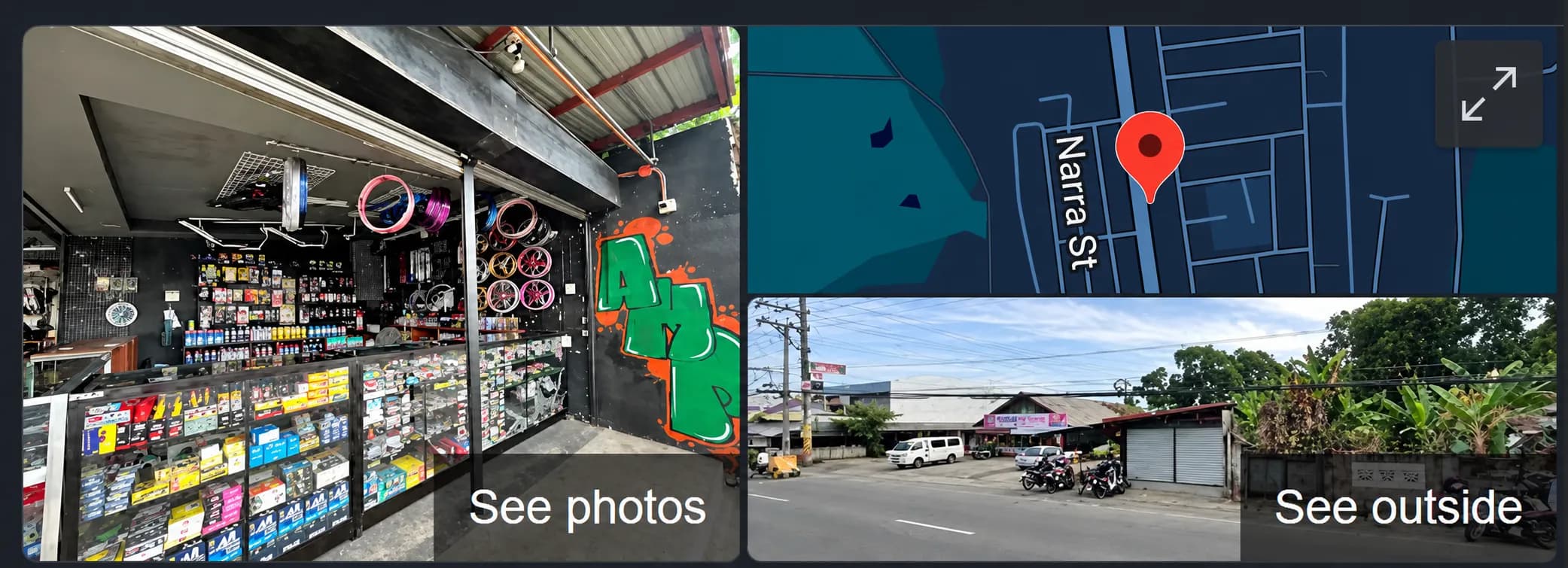
How to Add Your Business to Google Maps: A Step-by-Step Guide
A practical 2026 guide to adding or claiming your business on Google Maps, completing Google Business Profile verification, fixing the map pin, and avoiding common setup mistakes.
Read article