
2026 Web Development Roadmap: What to Learn in the Age of AI
Learn frontend, backend, full-stack, design, and AI tools in a practical 2026 web development roadmap built around real projects and strong fundamentals.
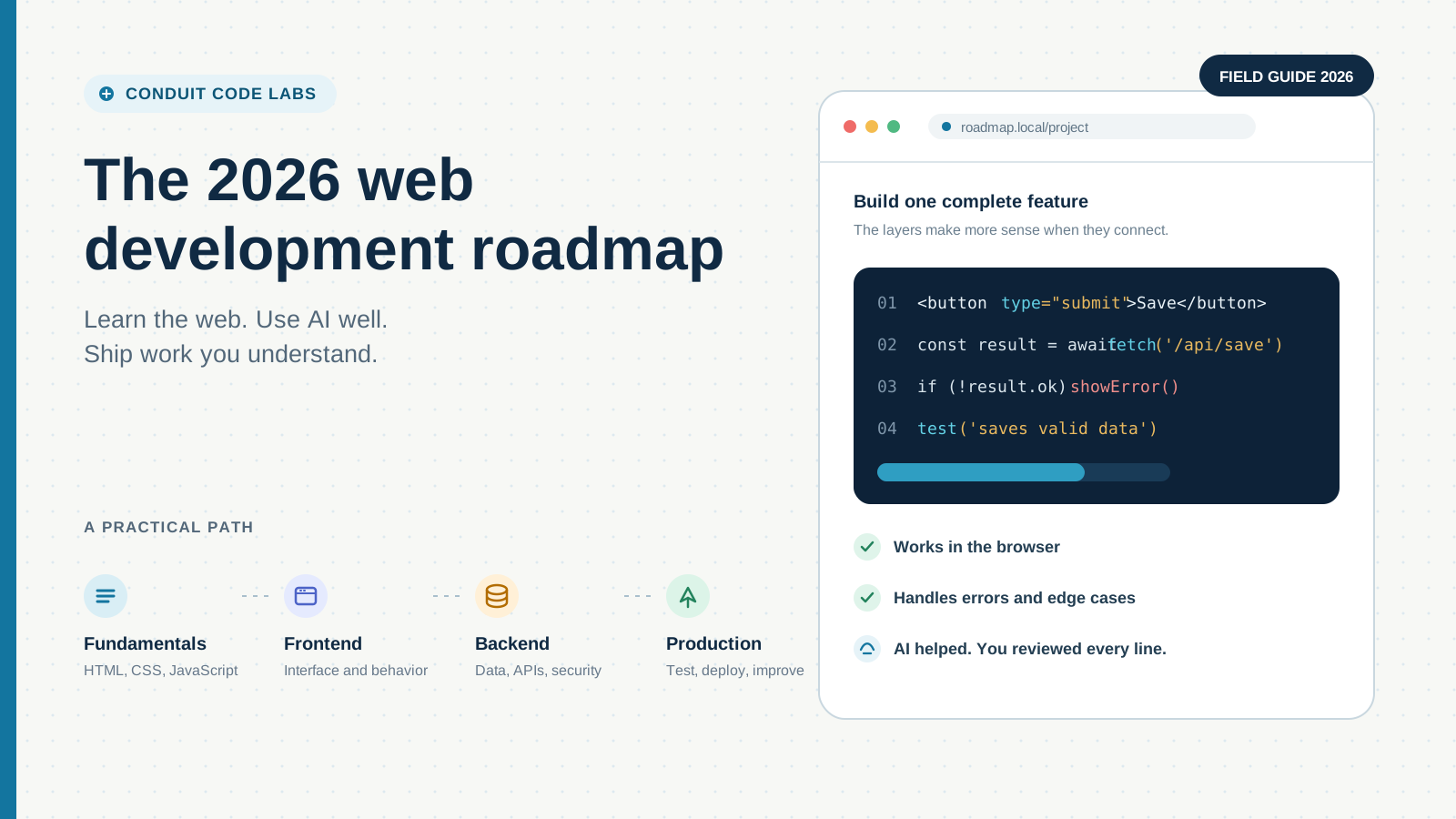
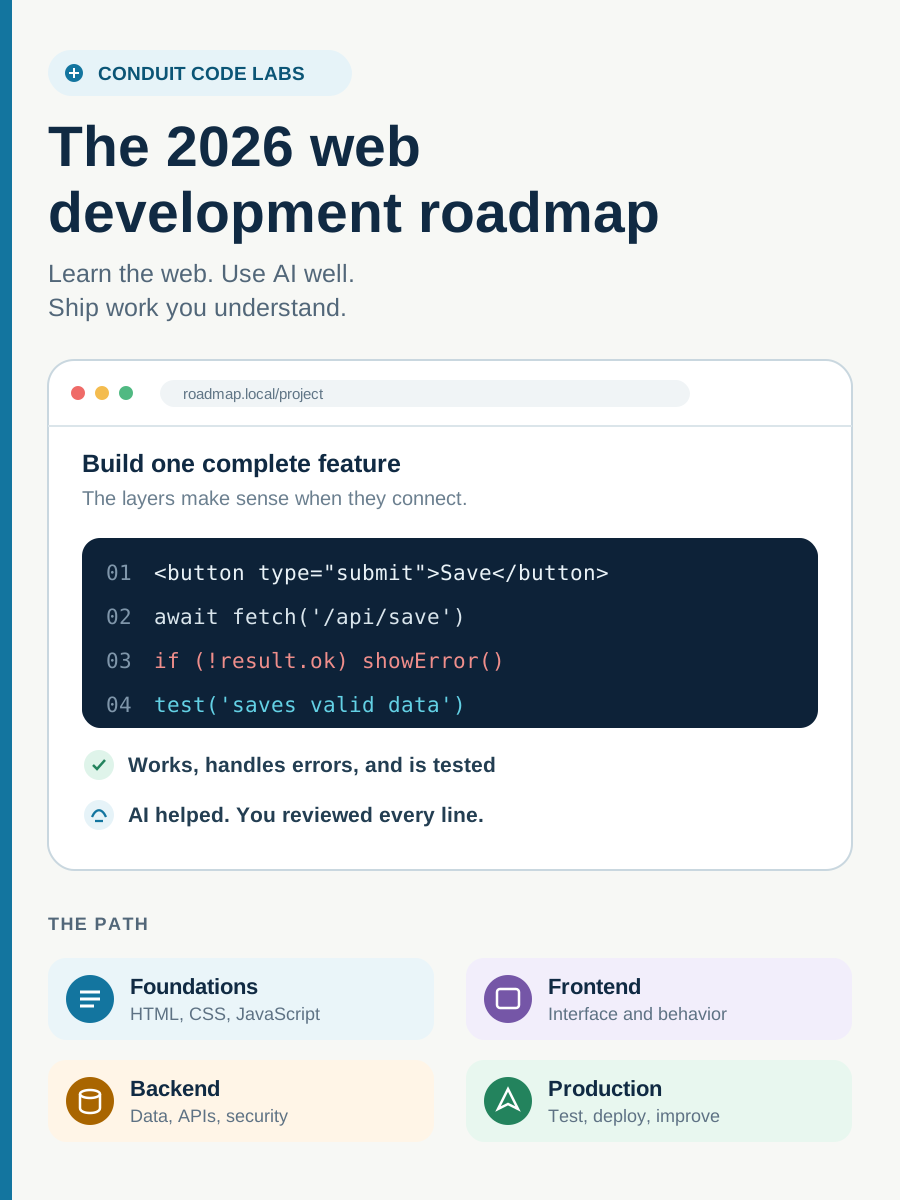
If you are starting web development in 2026, the difficult part is no longer finding code. Code is everywhere, and AI can produce a component before you finish describing it. The difficult part is knowing what should be built, why the code works, where it will break, and whether it is safe to ship. This roadmap is designed for that reality. It does not ask you to ignore AI or spend months memorizing syntax. It shows you how to build a foundation, use modern tools with judgment, and grow from a page that works on your laptop into a website or application that real people can depend on.
The Roadmap Changed, but the Web Did Not
When I work on Shopify, WordPress, Next.js, or a custom integration, typing the first version of the code is often the shortest part of the job. More time goes into understanding the requirement, finding the existing logic, checking edge cases, protecting analytics and search behavior, testing on real devices, and making sure a change does not break something that already works.
AI makes the first draft faster. It does not remove responsibility for the result. An AI tool can write a product selector, for example, but somebody still has to decide what happens when a variant is sold out, a price changes, a request is slow, JavaScript fails, or a customer uses only a keyboard.
That is the central change in the 2026 roadmap. You still need to learn the web platform. You can now use AI while learning it, but your goal should be stronger judgment, not faster copy and paste.
In 2026, generating code is becoming common. Knowing what deserves to ship is the skill.
Choose the Part of the Website You Want to Own
A website is not one job. It is a chain of decisions that begins with a person's need and ends with a working system. Understanding the main roles helps you choose where to begin without pretending you need to master everything at once.
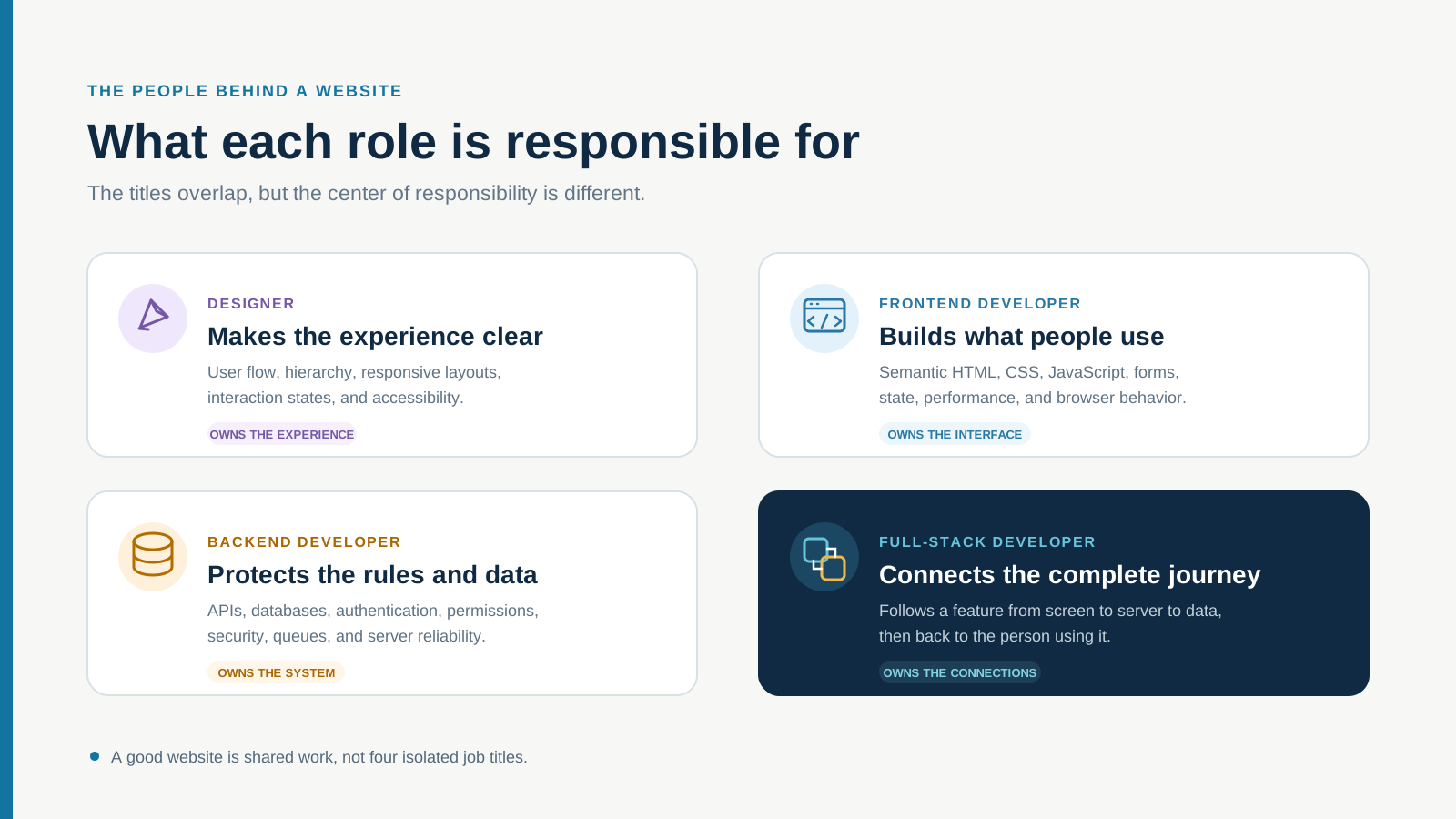
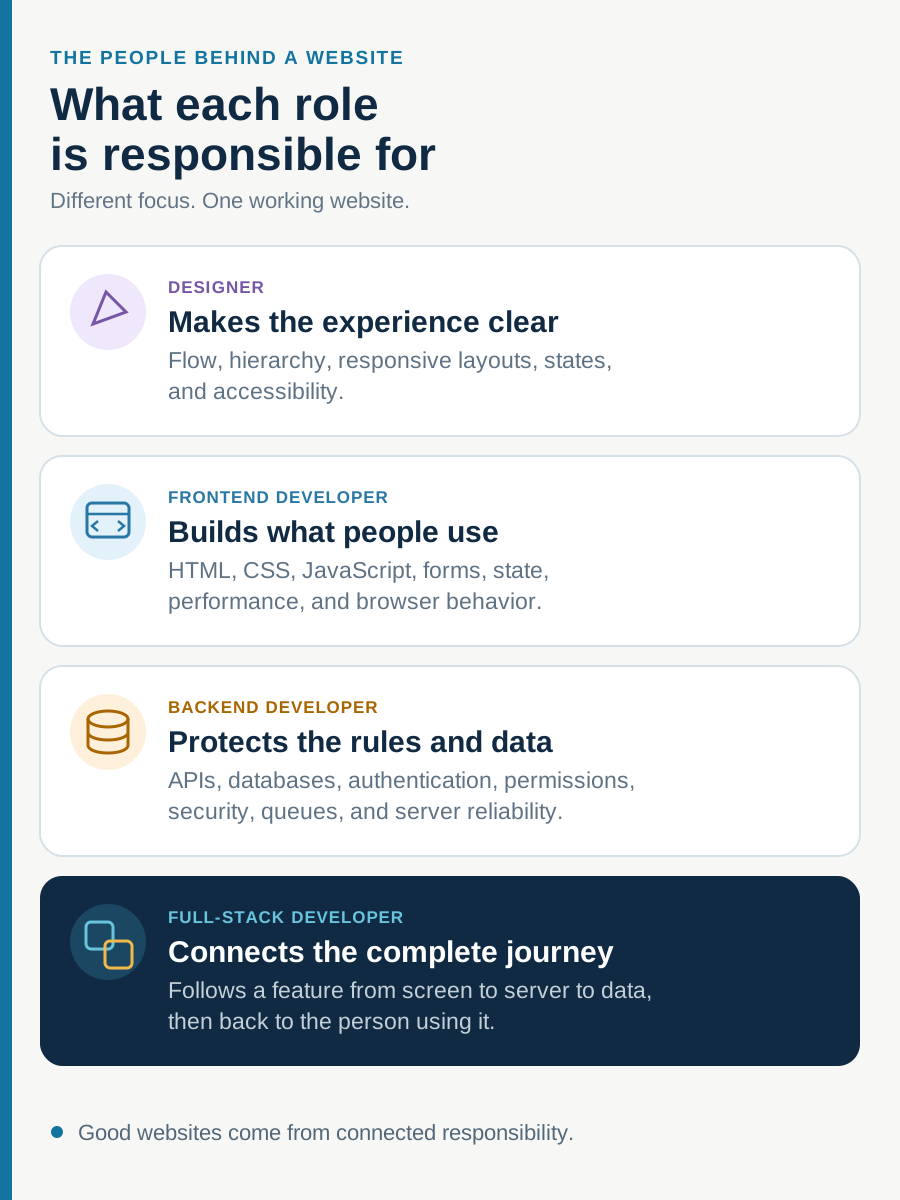
A designer decides how the experience should flow. A frontend developer turns that experience into browser behavior. A backend developer protects the data and business rules behind it. A full-stack developer connects those layers and can follow a request from the screen to the database and back.
The roles overlap, especially on smaller teams. The labels are useful because they tell you where to build depth first, not because they place permanent limits on what you can learn.
- Designer: user journeys, information hierarchy, wireframes, responsive layouts, component states, typography, color, accessibility, and design systems.
- Frontend developer: semantic HTML, CSS, JavaScript, TypeScript, browser APIs, forms, interaction states, performance, accessibility, and frontend frameworks.
- Backend developer: server-side code, APIs, databases, validation, authentication, authorization, caching, logging, security, and deployment.
- Full-stack developer: enough depth across the interface, server, data, and deployment layers to build and diagnose an end-to-end feature.
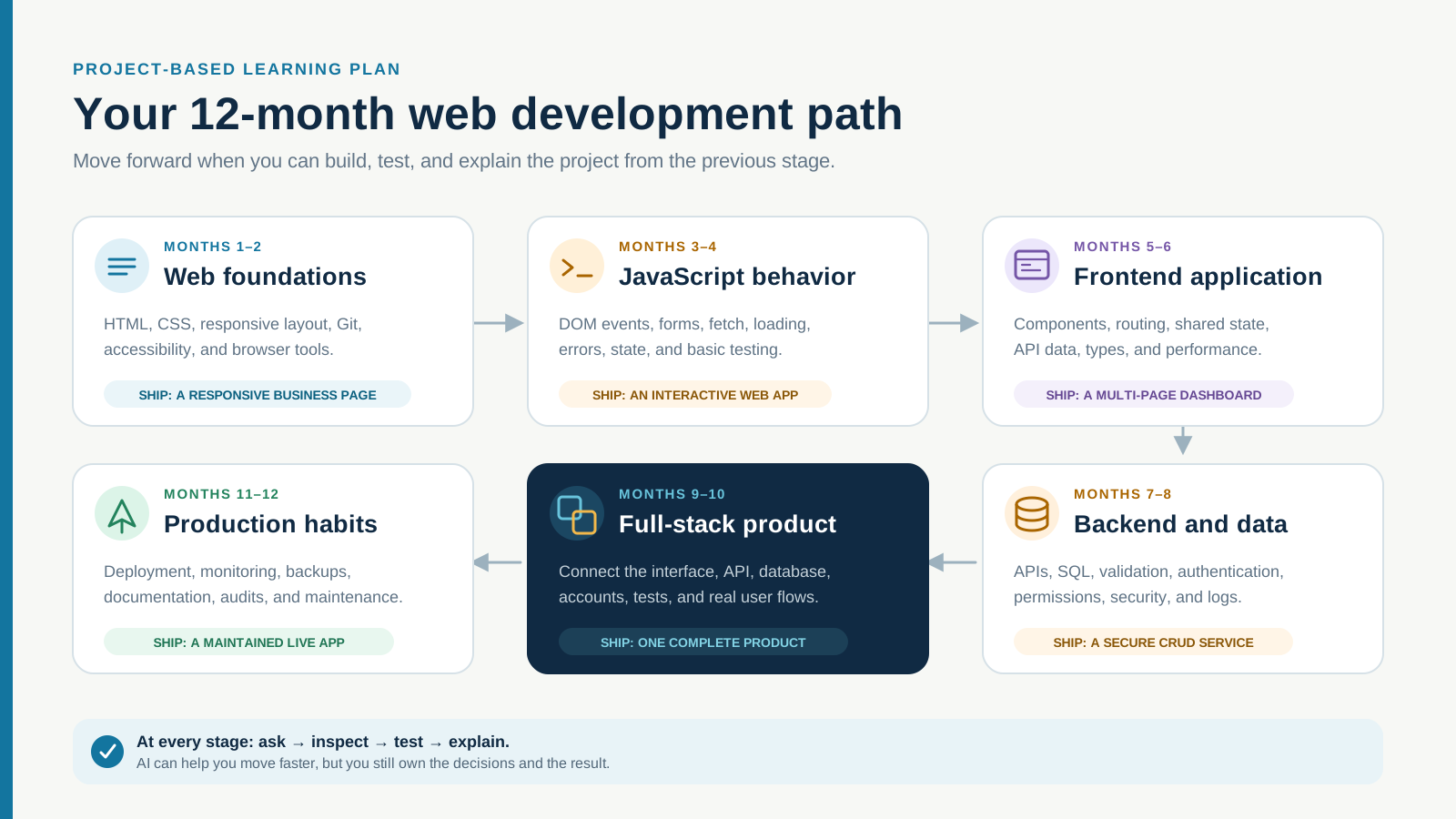
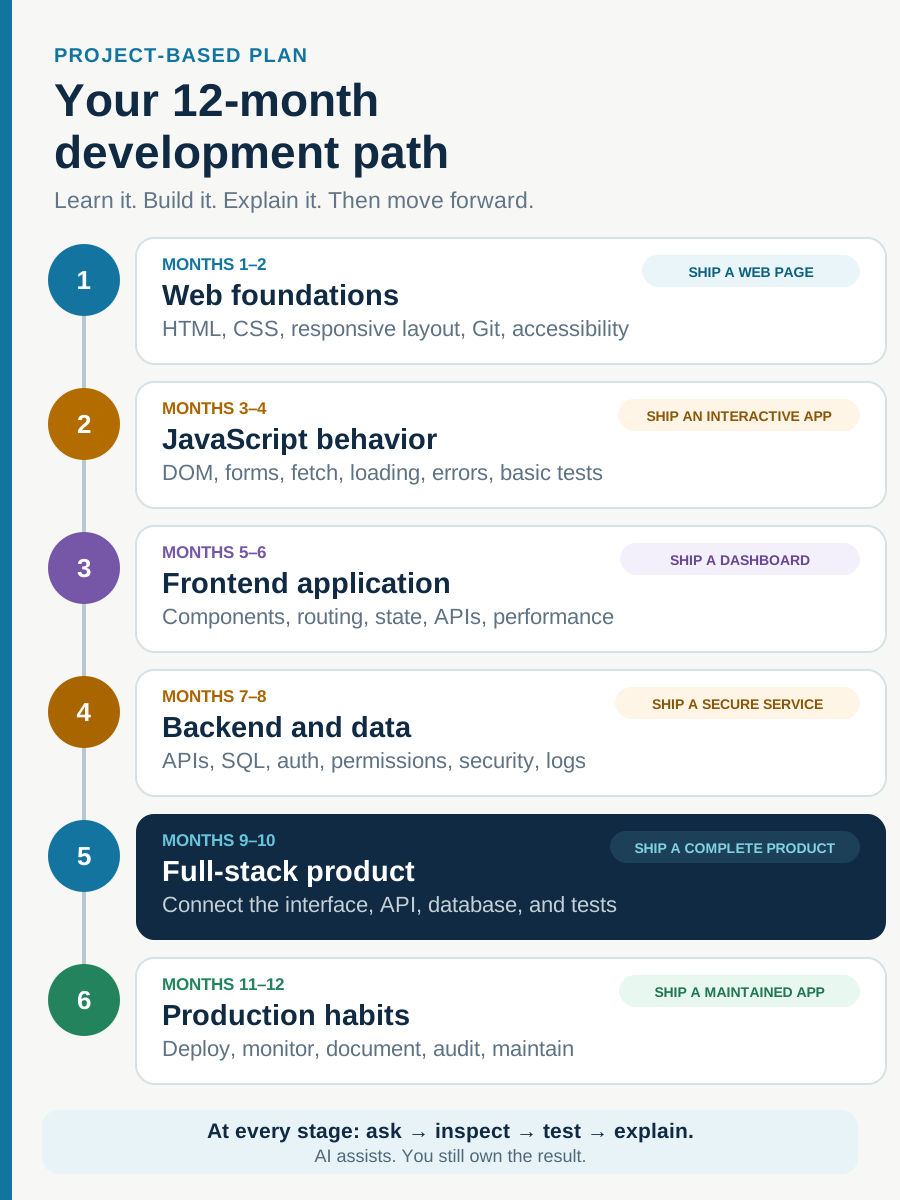
Months 1 to 2: Build One Website Without a Framework
Begin with the platform that every framework eventually uses. Learn how a browser requests a page, how HTML gives content meaning, how CSS creates layout, and how JavaScript responds to events and changes the page.
Your first project should be small enough to finish: a four-page website for a real or imagined local business. Give it clear navigation, service information, a contact form, useful mobile layouts, visible keyboard focus, descriptive images, and a real deployment. Do not start with a dashboard that needs ten libraries.
Finishing this project gives you a reference point. When a future framework hides the details, you will still know what the browser needs underneath.
- HTML: headings, landmarks, links, forms, buttons, images, metadata, and semantic structure.
- CSS: cascade, specificity, box model, Flexbox, Grid, responsive sizing, and focus states.
- JavaScript: variables, functions, arrays, objects, events, conditions, loops, modules, and basic DOM work.
- Tools: browser developer tools, terminal basics, Git commits, branches, diffs, and a simple deployment.
- Ready to continue when: you can find and fix a broken layout or interaction without asking AI to rewrite the entire page.
Months 3 to 4: Turn the Page Into a Real Frontend
A polished screenshot is not a complete frontend. Real interfaces have loading, empty, success, disabled, error, and offline states. They receive imperfect data, run on different screen sizes, and must remain understandable when something takes longer than expected.
Go deeper into the DOM, forms, validation, asynchronous JavaScript, promises, fetch requests, JSON, local state, and reusable components. Add TypeScript when ordinary JavaScript feels familiar enough that types solve a problem you can recognize.
Then choose one component framework. React is a practical option, and Next.js adds routing, rendering, and server features. The exact choice matters less than finishing a useful project with it. Build a product browser, booking flow, task board, or content application that talks to an API and handles every important state.
- Show a deliberate loading state instead of a blank screen.
- Explain what happened when a request fails and give the user a useful next action.
- Keep form labels, validation, keyboard behavior, and focus order usable.
- Test narrow screens, long content, missing images, slow connections, and empty results.
- Measure performance instead of assuming a framework has made the page fast.
Months 5 to 6: Learn the Backend by Following One Request
Backend development becomes easier to understand when you stop treating it as a separate wall of technology. Follow one request. A person submits a form. The browser sends data. The server validates it. Application logic decides what is allowed. The database stores a result. The server returns a response. The interface tells the person what happened.
Choose one server-side path and stay with it long enough to understand that flow. Node.js with JavaScript or TypeScript, PHP with Laravel, and Python with Django can all teach the same core ideas. Learning one well is more useful than collecting beginner tutorials for all three.
Build a small client portal, appointment system, inventory tracker, or content manager. Include user accounts and at least two permission levels. The important lessons appear when data is missing, duplicated, unauthorized, or invalid.
- HTTP methods, status codes, headers, cookies, sessions, and API contracts.
- Relational data, SQL, tables, relationships, indexes, and migrations.
- Server-side validation, authentication, authorization, and safe error handling.
- Environment variables, secret management, file uploads, logs, and backups.
- Security checks based on current application risks, not only whether the happy path works.
Months 7 to 9: Connect, Deploy, and Maintain the Full Stack
Full-stack does not mean knowing every tool. It means you can trace the complete behavior of a feature and take responsibility for how the layers meet.
When a form fails, can you tell whether the problem is browser validation, a network request, server logic, a permission rule, or the database? When a page becomes slow, can you separate a large image from an expensive query or a third-party script? That kind of tracing is the real full-stack skill.
Deploy the project you built in the previous stage. Configure its database, environment variables, domain, error monitoring, analytics, and backups. Write setup notes that another developer could follow. A project is not finished when it works once on your machine.
- Use separate development and production configuration.
- Run database migrations deliberately and keep a recovery plan.
- Add automated tests around the behavior that would be costly to break.
- Log useful failures without exposing secrets or customer information.
- Check the deployed experience on real browsers, devices, and connection speeds.
Design Is Part of Development, Not Decoration
Good design is not the layer added after the system works. It is how the team decides what belongs on the page, what should happen next, and how a person understands the result.
Even if you plan to become a developer, learn information hierarchy, spacing, typography, contrast, responsive behavior, and component states. Before building a page, sketch the content and user flow. Ask what the person came to do, what information they need first, and what could prevent them from completing the task.
AI-assisted design tools can make early exploration faster. Figma Make, for example, can turn prompts and existing designs into functional prototypes. Use that speed to compare directions and test flows, not to skip design judgment. The first polished screen can still solve the wrong problem.
- Can someone understand the page without an explanation?
- Is the primary action clear without making every element loud?
- What happens on a small screen, with long text, or without a mouse?
- Are loading, empty, error, disabled, hover, and focus states designed?
- Does the interface match the brand and the actual content, or only look fashionable?
Use AI as a Tutor, Pair Programmer, and Reviewer
AI is most useful when you give it a defined role. ChatGPT can help turn a rough idea into requirements, explain a concept at different levels, compare approaches, draft test cases, and question your assumptions. Codex can inspect a repository, make focused edits, run available checks, and help review or debug code. Claude Code can also work across a codebase, edit files, run commands, and handle multi-file engineering tasks. Figma Make and similar tools can accelerate wireframes and interactive prototypes.
The tool name matters less than the working method. Give the AI a goal, the relevant context, the constraints it must respect, and a clear definition of done. That prompt structure is also good software thinking because it forces you to describe the problem before asking for code.
For example: Goal: add an accessible newsletter form. Context: it appears in the site footer and submits to the existing API. Constraints: preserve the design system, do not add a new dependency, and never expose the API key. Done when: validation is understandable, keyboard behavior works, tests pass, and a failed request gives the user a next step.
- Ask for an explanation before or alongside the code.
- Ask what assumptions the proposed solution is making.
- Request two reasonable approaches and the tradeoffs between them.
- Ask for tests and edge cases, then run and inspect them yourself.
- Never paste credentials, private customer data, or confidential material without approved controls.
The Learning Loop That Prevents AI Dependence
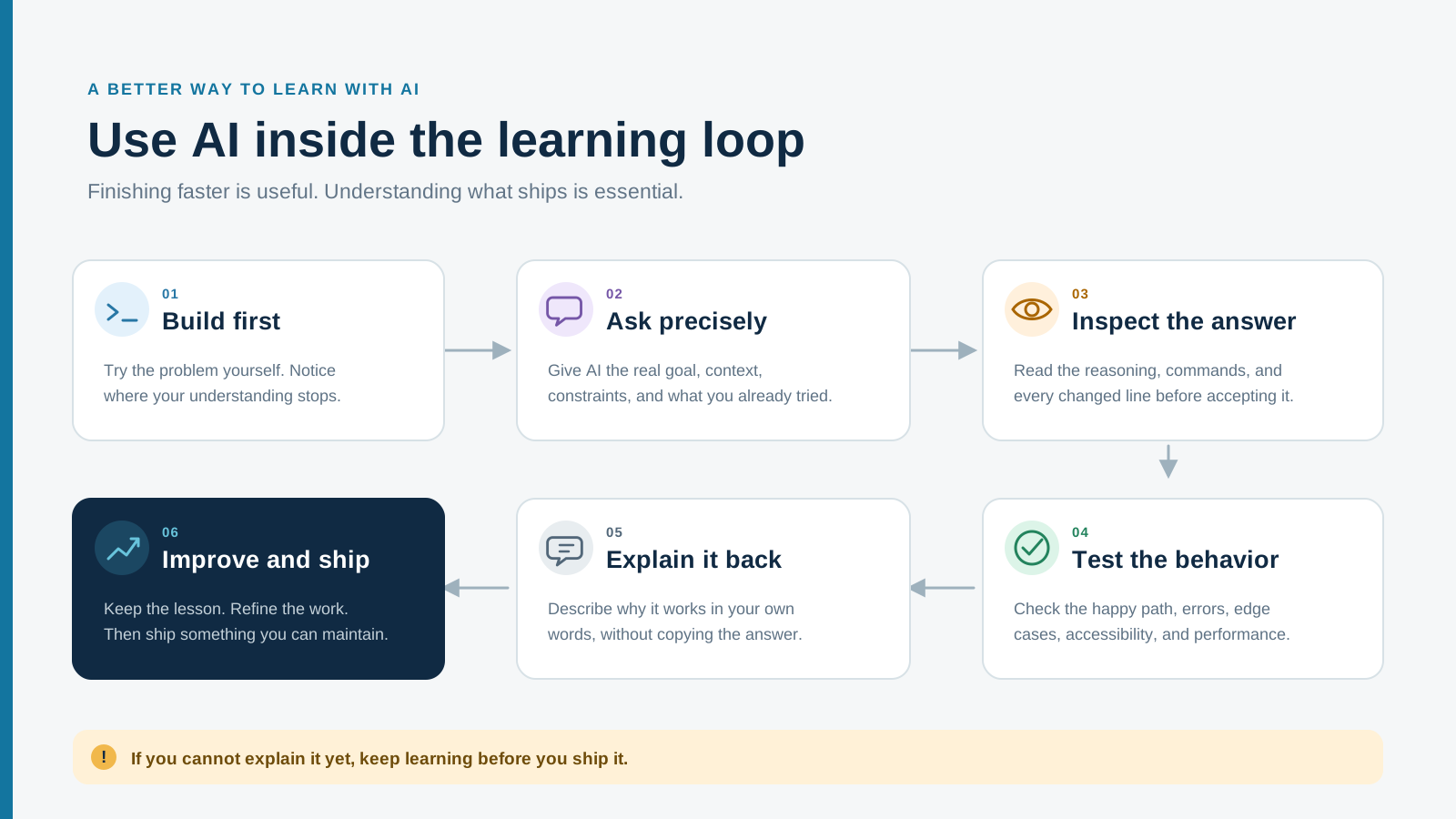
The dangerous AI habit is not using the tool. It is removing yourself from the thinking. A better loop keeps you involved at every stage.
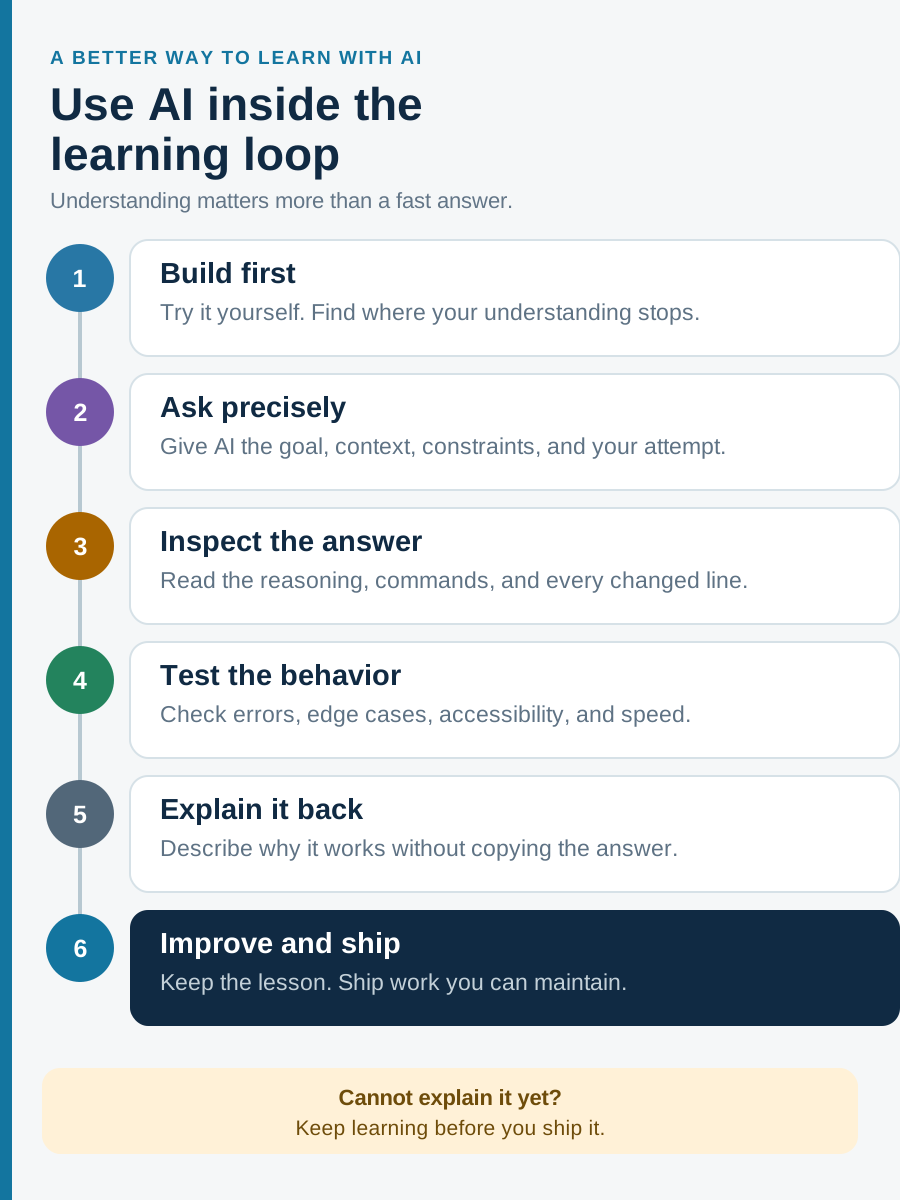
Try the problem first, even if your attempt is incomplete. Ask a focused question. Inspect the answer line by line. Test the result. Explain it back in your own words. Then improve or simplify it. If you cannot explain a section, reduce it to a smaller example until you can.
This loop may feel slower than accepting the first answer, but it becomes faster over time. You build a mental model, recognize repeated patterns, write clearer instructions, and catch mistakes earlier.
- Try: write your current understanding and a small first attempt.
- Ask: provide the goal, context, constraints, and current behavior.
- Inspect: read the diff and question decisions you do not understand.
- Test: run checks and reproduce the behavior manually.
- Explain: describe why the solution works without looking at the answer.
- Improve: refactor, simplify, document, or compare another approach.
Do not ship code you cannot explain or verify.
Months 10 to 12: Build a Portfolio That Proves Judgment
A portfolio should not only prove that you can make a screen resemble a design. It should show how you make decisions when the requirements are imperfect.
Three honest, finished projects are usually more useful than twelve tutorial clones. Build one fast content website with strong structure, accessibility, and search foundations. Build one full-stack application with accounts, permissions, data, and failure states. Then improve something for a real person, team, or small business where you have to listen, clarify, and work within constraints.
For every project, write a short case study. Explain the problem, users, constraints, important decisions, alternatives you rejected, testing performed, and what you would improve next. Employers and clients can already see the final screen. Your explanation reveals how you think.
- Project one: a responsive content or business website with semantic HTML, performance work, accessibility checks, and technical SEO.
- Project two: a full-stack application with authentication, role-based access, a relational database, validation, tests, and monitoring.
- Project three: a real improvement for a person or business, such as a booking flow, product page, internal tool, or automation.
- For each case study: show the problem, constraints, decisions, tradeoffs, verification, result, and next improvement.
The Fundamentals That Still Pay Rent
AI can make syntax easier to access. That makes fundamentals more valuable, not less, because fundamentals let you judge the output.
When you understand HTML, you can see whether generated markup has meaning. When you understand CSS, you can fix the layout instead of adding overrides until it looks correct. When you understand JavaScript, you can reason about state and asynchronous behavior. When you understand HTTP and SQL, you can trace data through the system. When you understand accessibility and security, you can find risks a quick visual check will never reveal.
Frameworks, models, and interfaces will change. Browsers will still parse HTML, apply CSS, execute JavaScript, and exchange requests with servers. People will still need clear interfaces. Businesses will still need systems they can trust.
- Semantic HTML and accessible interaction.
- CSS layout, responsive design, and the cascade.
- JavaScript logic, state, events, and asynchronous work.
- HTTP, APIs, client-server boundaries, and browser behavior.
- SQL, data modeling, validation, authentication, and authorization.
- Git, debugging, testing, performance, security, and clear documentation.
What I Would Do If I Started Again in 2026
I would build smaller projects and finish them sooner. I would use AI from the first week, but I would ask it to teach and review before asking it to take over. I would keep a short record of bugs I solved so the lesson did not disappear when the tab closed.
I would read official documentation when a feature mattered, because summaries are useful but the source is where constraints and current behavior live. I would ship something every month, even if it was simple, and I would ask a real person to use it without standing beside them to explain it.
Most importantly, I would stop waiting to feel ready. The roadmap becomes clear through completed work. Build, notice what you do not understand, learn that part, and return to the project with better judgment.
Use AI to shorten the distance between a question and understanding, not the distance between a question and an unreviewed answer.
Verified references
Sources & Methodology
This roadmap combines hands-on web development experience with current primary documentation for the web platform, accessibility, application security, coding agents, and AI-assisted prototyping. Product capabilities change quickly, so the linked official documentation should be treated as the current reference for each named tool.
- About Learn Web DevelopmentMDN Web Docs: Current curriculum scope covering semantic HTML, CSS, JavaScript, accessibility, responsive design, version control, performance, security, and testing.
- WCAG 2 OverviewW3C Web Accessibility Initiative: Official overview of the international Web Content Accessibility Guidelines standard.
- OWASP Top 10:2025OWASP Foundation: Current awareness document covering major web application security risks.
- Code GenerationOpenAI Developers: Official guidance describing Codex as a coding agent for writing, reviewing, and debugging software.
- Codex recommended standardsOpenAI: Official guidance on context, goals, constraints, definitions of done, validation, and working effectively with coding agents.
- Claude Code OverviewAnthropic: Official overview of Claude Code's codebase, editing, command execution, and development workflow capabilities.
- Explore Figma MakeFigma: Official overview of AI-assisted functional prototypes, interactive UI, and design-to-prototype workflows.
Clear answers before you plan
Frequently Asked Questions
Is web development still worth learning in 2026?
Yes. AI automates parts of implementation, but websites still need people who can clarify requirements, design usable experiences, connect systems, verify quality, maintain production work, and take responsibility for the result. The role is changing toward stronger judgment and responsible automation.
Should a beginner learn frontend or backend first?
Frontend is a practical starting point for most beginners because it provides visible feedback and teaches the browser environment used by every website. After learning HTML, CSS, and JavaScript, you can continue into frontend specialization or add backend development.
Should I learn JavaScript before React or Next.js?
Yes. You do not need to master every detail first, but you should understand variables, functions, arrays, objects, events, modules, asynchronous work, and the DOM. React and Next.js become easier to debug when you recognize the JavaScript underneath them.
Can I use ChatGPT, Codex, or Claude while learning to code?
Yes. Use AI to explain concepts, review attempts, identify edge cases, generate tests, and help investigate problems. Try first, inspect the output, run the code, and explain the solution in your own words before relying on it.
Do I need to become a full-stack developer?
No. You should understand how the layers connect, but you can build deep expertise in design, frontend, or backend. Full-stack is useful when you enjoy owning end-to-end features or working on smaller teams where responsibilities overlap.
What should a beginner web development portfolio include?
Include a well-built content or business website, a full-stack application with data and permissions, and one project created for a real user or business problem. Explain the constraints, decisions, tradeoffs, testing, result, and what you would improve.
A practical next step
Need a website built with modern tools and careful judgment?
Conduit Code Labs combines practical product thinking, design, development, accessibility, performance, technical SEO, and AI-assisted workflows to build websites that are useful beyond the first demo.

About the author
Wayne Pastoral
Full-stack developer behind Conduit Code Labs, working across Shopify, WordPress, web applications, performance, accessibility, and integrations.
Learn more about WayneContinue reading
More from Web Development

I Thought I Lost My GitHub Account: What 2FA Recovery Taught Me
A complete GitHub 2FA recovery guide covering failed codes, passkeys, security keys, GitHub Mobile, email recovery, recognized devices, SSH keys, tokens, password reset, and last-resort options.
Read article
How Long Does It Take to Build a Website? An Honest Timeline
A practical website development timeline for business sites, online stores, and custom web apps, including the delays clients and developers can prevent.
Read article
Website Uptime Is Not Enough: What Businesses Should Monitor After Launch
Uptime is only the first check. Learn how to monitor forms, checkout, performance, analytics, SEO, accessibility, integrations, and other critical website journeys.
Read article