
7 Signs Your Shopify Store Is Losing Sales
Traffic is not always the problem. These seven conversion leaks can quietly cost sales across product pages, checkout, mobile UX, trust, search, cart recovery, and accessibility.
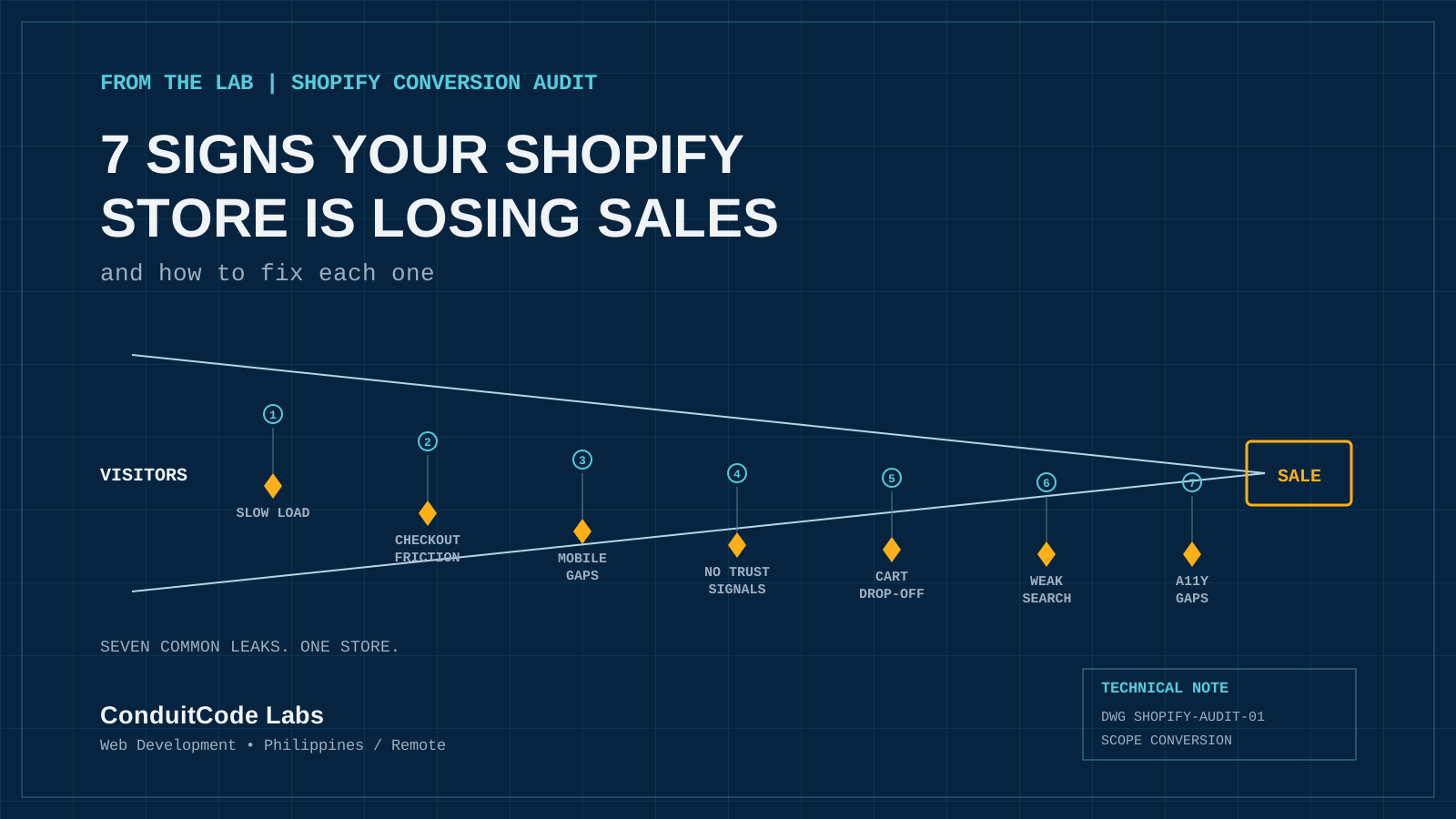
Traffic is not the problem for most Shopify stores. Leaks are. A store can rank well, run ads, and still lose the majority of visitors before they ever reach the Buy button. The good news is that most of these leaks come from a short, predictable list of issues, and each one is fixable without a full redesign.
1. Your Product Pages Load Too Slowly
Heavy theme scripts, oversized product images, and too many third-party apps are common causes of slow Shopify stores. Shoppers rarely wait around to find out if a page is almost loaded. They leave for a competitor.
Fix: compress and appropriately lazy-load product images, audit installed apps for unnecessary scripts, and test Core Web Vitals regularly instead of only at launch.
2. Checkout Has Too Much Friction
Forced account creation, unclear shipping costs, and unnecessary checkout steps all give shoppers a reason to abandon a cart they were ready to pay for.
Fix: support the shortest practical checkout path, surface costs early, and remove fields or steps that are not necessary to complete the order.
3. The Mobile Experience Is Not Actually Optimized
A theme that is technically responsive is not the same as a store built for mobile shopping. Cramped tap targets, slow image carousels, and awkward filter menus are easy to miss on desktop and easy to hit on a phone.
Fix: test the full buying journey on an actual phone: browse, filter, open a product, add to cart, and move through checkout.
4. Product Pages Do Not Build Trust
A product page with no reviews, generic imagery, or a thin description leaves shoppers hesitant, especially on a first visit to an unfamiliar store.
Fix: add customer reviews, useful product photography, and clear specifications or sizing details close to the add-to-cart decision.
5. Abandoned Carts Go Unrecovered
Many carts are abandoned close to the finish line because a shopper gets distracted, hesitates on price, or simply runs out of time. Without a recovery flow, that near-sale disappears.
Fix: set up an abandoned-cart email or SMS sequence with useful reminders and an incentive strategy that fits the brand rather than discounting by default.
6. Search and Filtering Underperform
In a store with more than a handful of products, on-site search and filters are doing a lot of the selling. If search returns irrelevant results or filters are confusing, shoppers stop looking.
Fix: test search using real customer language, not just exact product names, and make sure filtering is quick and predictable.
7. Accessibility Gaps Are Blocking Real Customers
Low-contrast text, missing image alt text, and menus that do not work with a keyboard can turn away customers who rely on assistive technology. These problems often overlap with usability and technical SEO issues too.
Fix: run an accessibility audit against WCAG guidance and treat remediation as normal site maintenance rather than a one-time project.
Quick Self-Audit
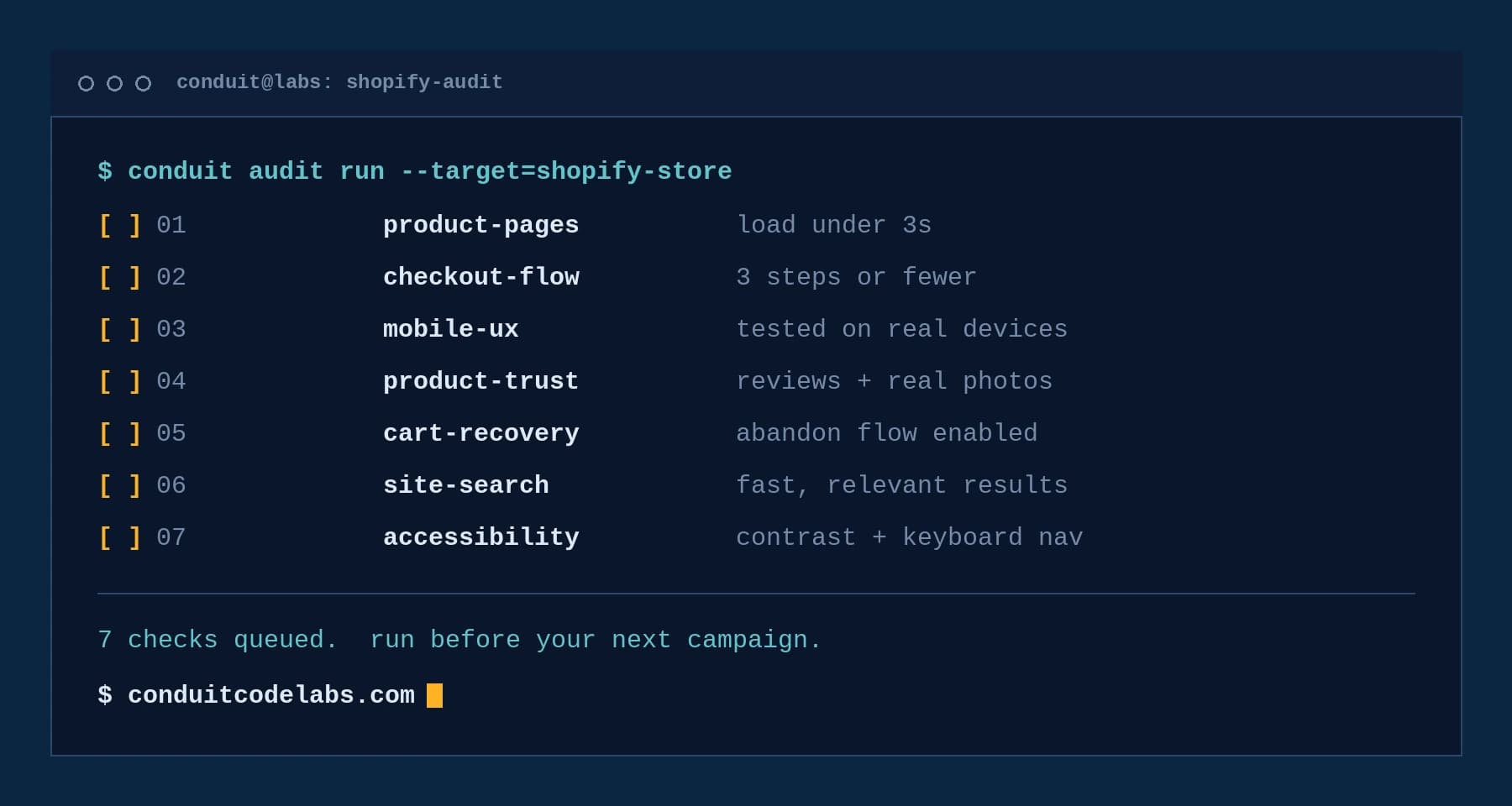
Use these seven points as a fast check before the next marketing push. If several do not hold up, that is a strong signal that the store is leaking demand after the click.
The Bottom Line
None of these issues automatically require rebuilding a store from scratch. Focused improvements to theme performance, checkout clarity, product merchandising, search, recovery, and accessibility can compound into a stronger conversion path over time.
Verified references
Sources & Methodology
Recommendations were checked against Shopify's current merchant documentation, Google's Web Vitals guidance, and W3C accessibility standards. Conversion impact varies by store and should be validated with store analytics and testing.
- Recovering Abandoned CheckoutsShopify Help Center: Official guidance for abandoned-checkout recovery workflows.
- Showing Accelerated Checkout Buttons on Your Online StoreShopify Help Center: Official documentation for accelerated checkout options.
- Adding Filters with Shopify Search & DiscoveryShopify Help Center: Official documentation for storefront filters.
- Web VitalsGoogle web.dev: Official definitions and measurement guidance for user-experience performance metrics.
- WCAG 2 OverviewW3C Web Accessibility Initiative: The international accessibility standard referenced by the audit guidance.
A practical next step
Have a project that needs to work better?
Share the goal, the current problem, and what success should look like. Conduit Code Labs can help define a practical next step.

About the author
Wayne Pastoral
Full-stack developer behind Conduit Code Labs, working across Shopify, WordPress, web applications, performance, accessibility, and integrations.
Learn more about WayneContinue reading
More from Business & Commerce

Why Your Website Is Not Generating Leads: 10 Problems to Fix
Getting traffic but few inquiries? Find 10 website problems that block leads, from unclear messaging and slow pages to difficult forms and missing tracking.
Read article
Can AI Find Your Business? A 2026 Guide to ChatGPT, Claude, and Google AI Search
See how ChatGPT, Claude, Google AI Overviews, and AI Mode find business websites, what improves visibility, and which AI SEO claims you can ignore.
Read article
Does Your Small Business Need a Website If You Already Have Social Media?
Already using Facebook, Instagram, or TikTok for your small business? Learn when social media is enough, when a website matters, and how both work together.
Read article